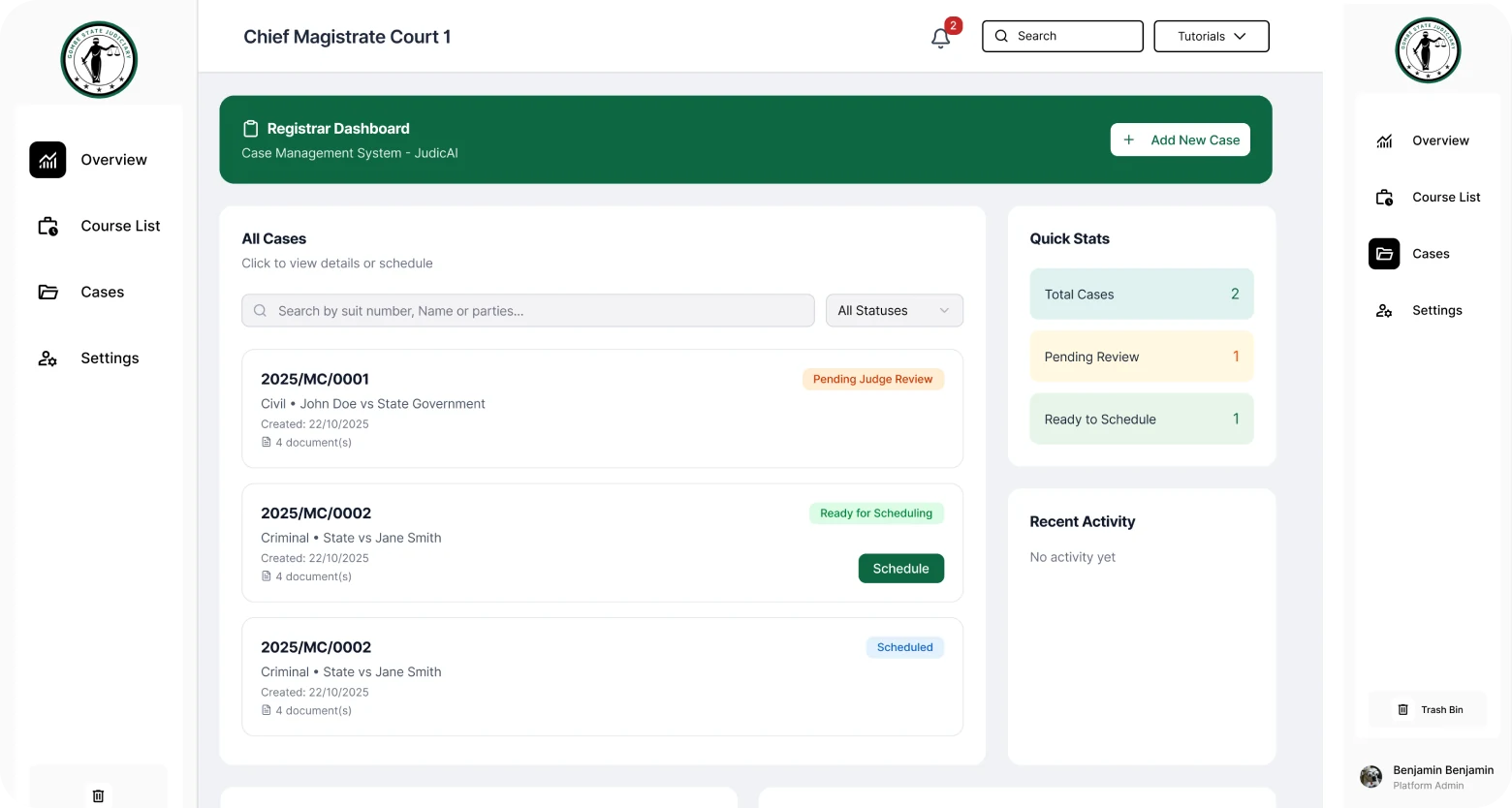
Augmenting judicial expertise through AI
JUDIC AI is a legal intelligence platform designed to simplify courtroom documentation, reduce administrative burden, and improve the efficiency of judicial workflows through artificial intelligence. The platform supports judges, court staff, and legal professionals with tools for court recording, AI-powered transcription, case management, cause list administration, and virtual hearing experiences.
Over three months, I served as Lead Product Designer, leading the design of the platform's end-to-end experiences while collaborating closely with legal stakeholders and technical teams.
Manual processes in high-stakes environments
Court proceedings generate large amounts of critical information that must be accurately documented, organised, and retrieved. Traditional courtroom documentation is often manual, time-consuming, and resource-intensive, leaving judicial professionals managing administrative tasks that could otherwise be directed toward judicial responsibilities.
Documentation burden
Reducing manual courtroom documentation while maintaining the accuracy and integrity that legal records demand was the central design tension.
Introducing AI with trust
AI had to be introduced into legal workflows in a way that felt trustworthy, supporting confidence rather than creating uncertainty in consequential environments.
Varying digital literacy
Judicial systems involve users with different levels of comfort with technology. The platform had to work confidently for all of them, regardless of technical proficiency.
No disruption to process
Increasing efficiency without disrupting established court procedures. The design had to feel like a natural extension of how courts already operate.
End-to-end judicial experiences
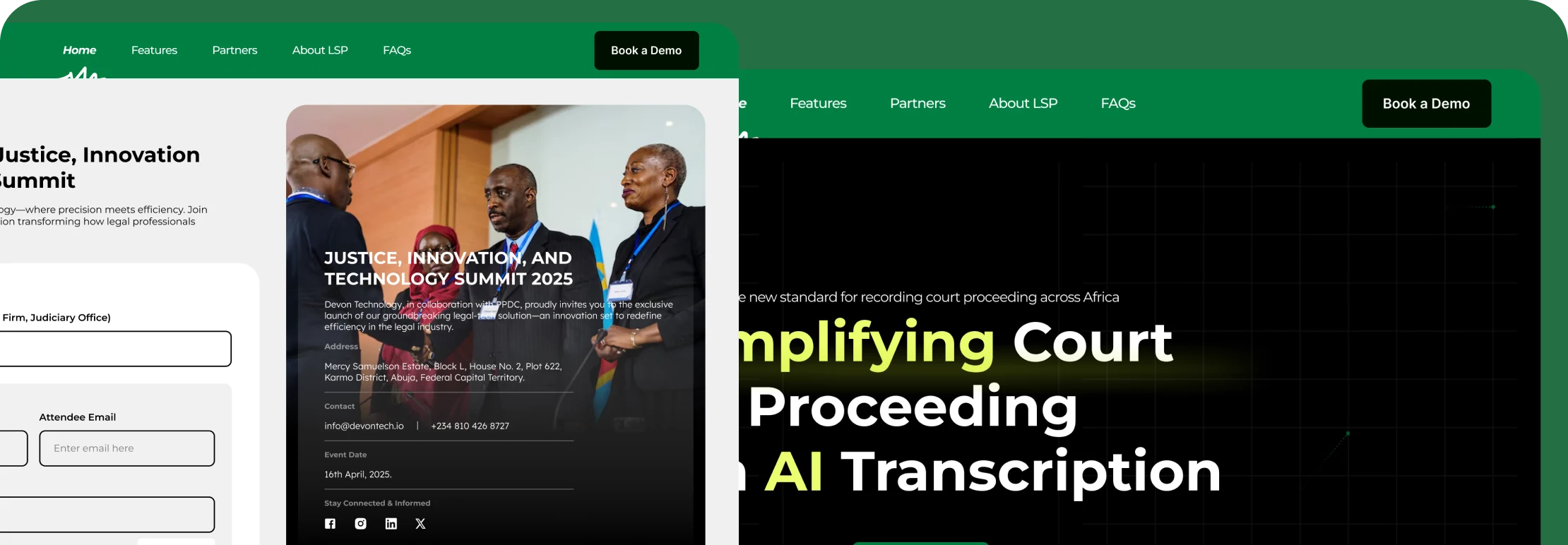
JUDIC AI extended across several interconnected judicial experiences: from first impression through to administrative oversight. Each area was designed to reduce friction at a specific point in the judicial workflow.
Marketing website
Communicating the value of AI-assisted judicial workflows to legal institutions and stakeholders, establishing credibility and relevance before any platform interaction.
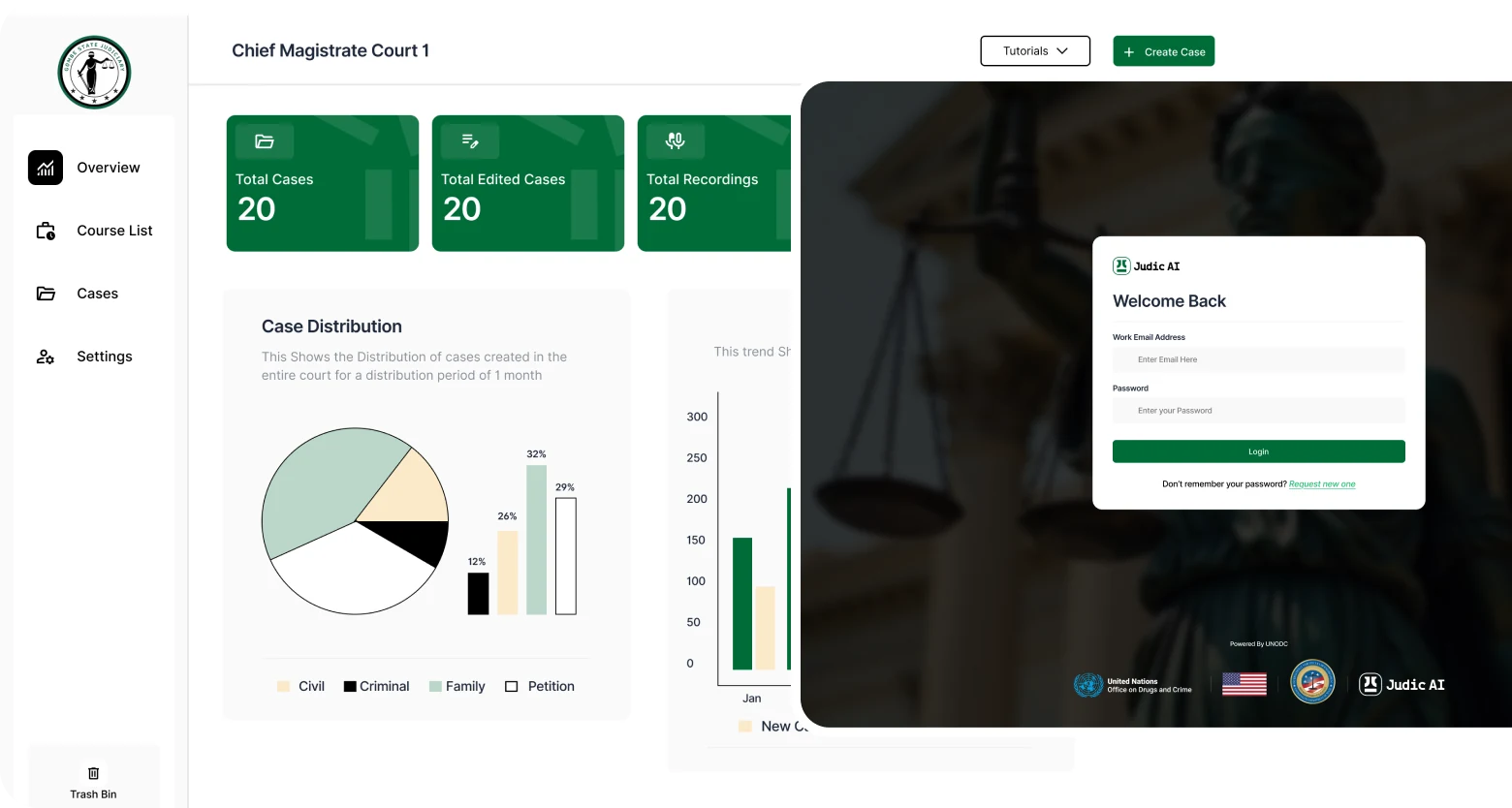
Judge dashboard & court proceeding recorder
Providing judges with visibility into proceedings, documentation, and relevant activities, alongside tools to accurately capture courtroom proceedings in real time.
AI transcription experience
Transforming spoken courtroom interactions into structured documentation, reducing reliance on manual note-taking while maintaining the accuracy and integrity that legal records require. This was one of the most demanding and rewarding design challenges in the platform.
Case management & cause list
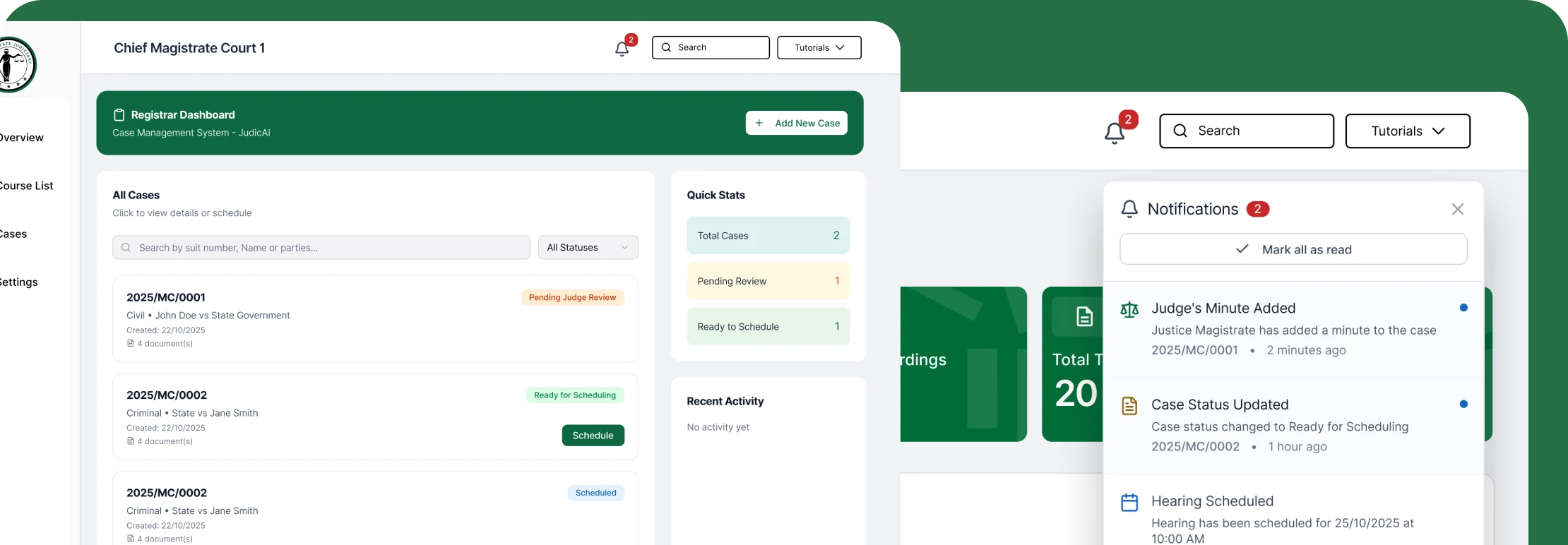
Helping legal professionals organise and track cases more effectively, with scheduling and visibility into upcoming hearings through a cause list management experience designed for court administrators.
Virtual hearings, export, notifications & admin
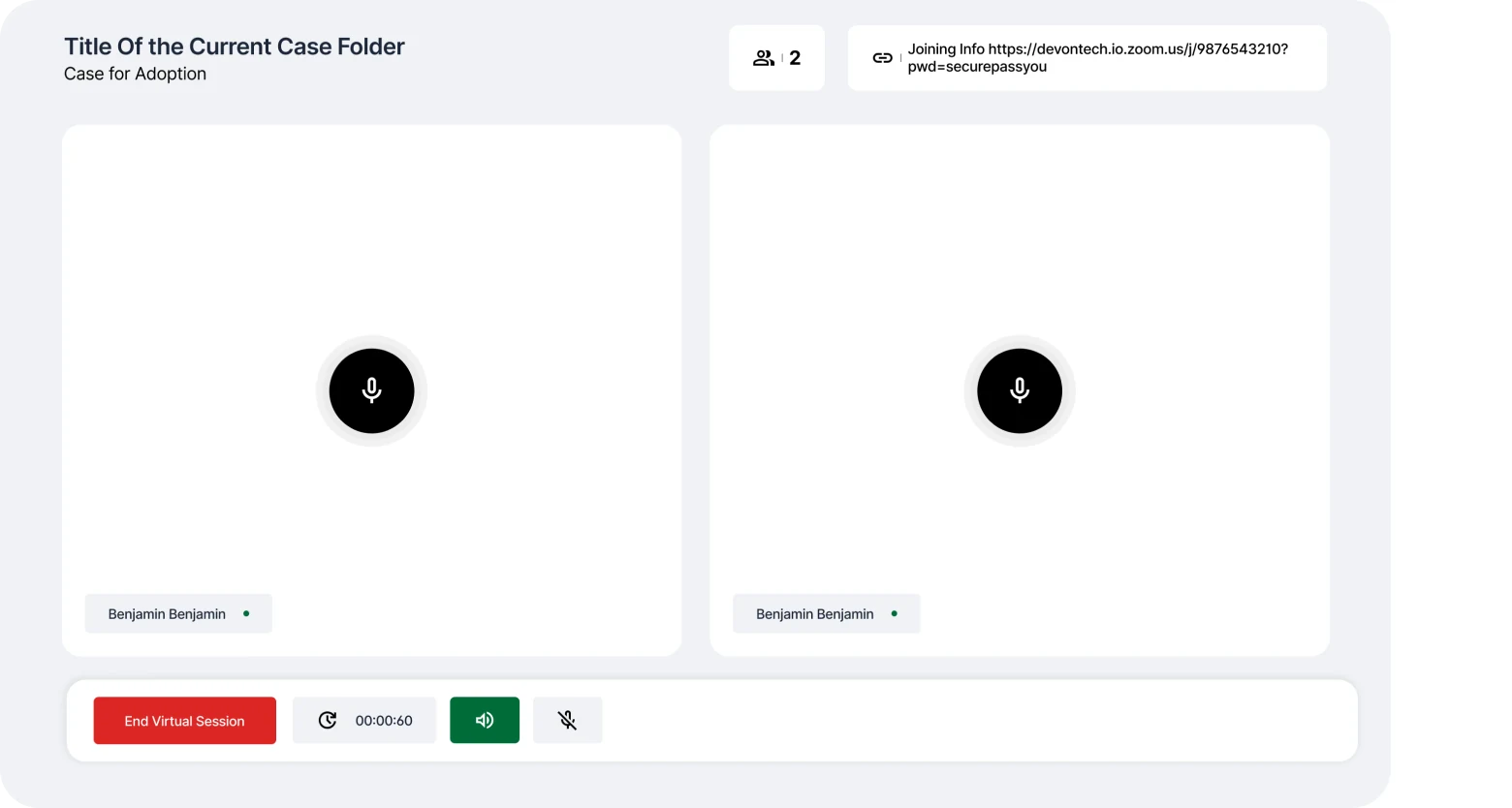
Enabling remote participation in judicial processes, mechanisms for sharing and preserving legal records, timely stakeholder notifications, user management, and administrative experiences for operational visibility and oversight.
Where accuracy and trust had to coexist
Among all the components of JUDIC AI, the AI transcription experience represented one of the most consequential design challenges. Courtroom proceedings are high-stakes environments where accuracy is non-negotiable.
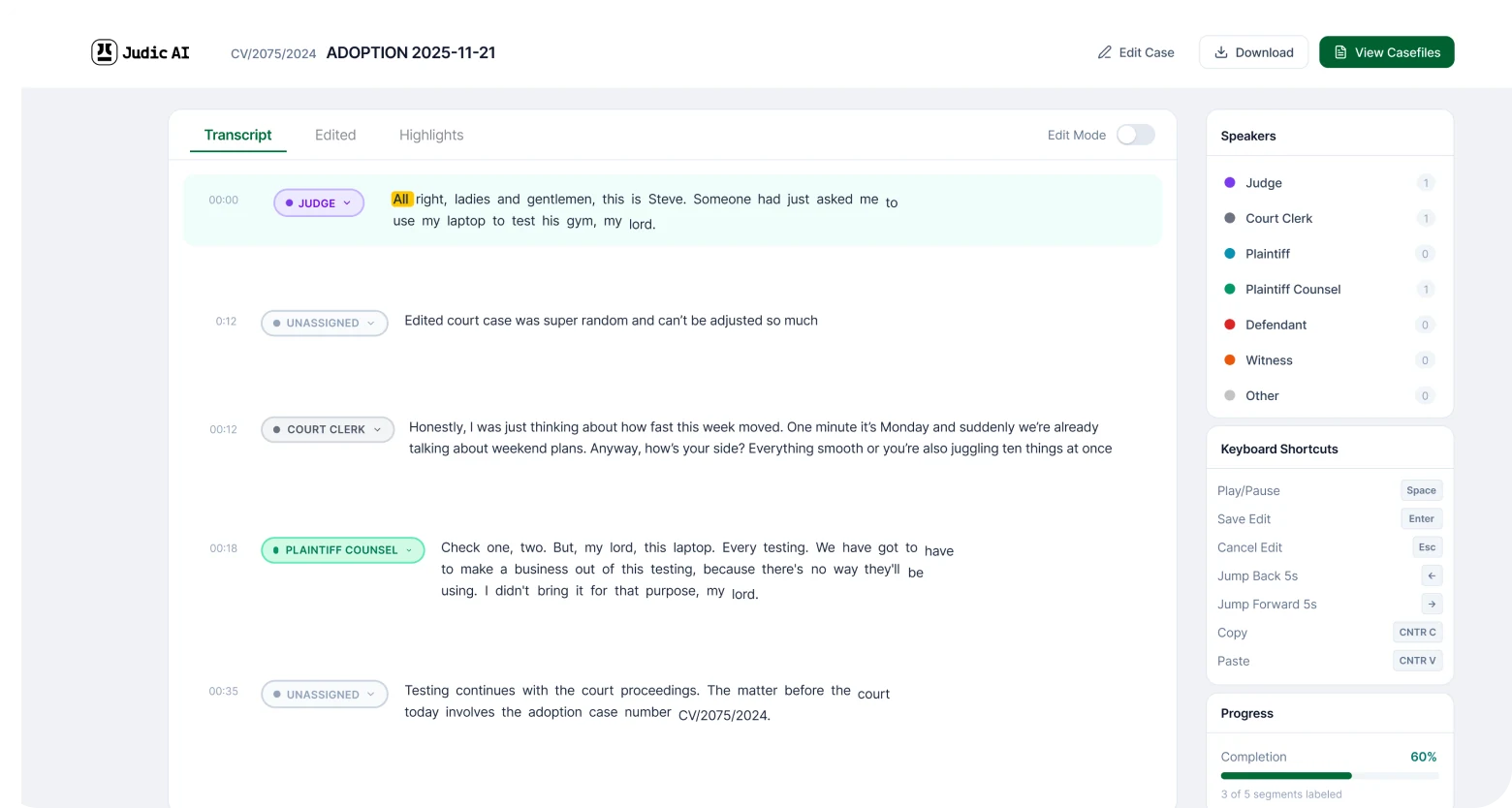
The transcription experience had to balance speed, clarity, trust, ease of review, and confidence in generated outputs. Court personnel needed to document proceedings more efficiently while maintaining full confidence in the integrity of the records produced.
This shaped decisions around how AI output was presented, distinguishing captured speech from AI-structured summaries, making review and correction flows straightforward, and ensuring that the system's status was always visible. Designing for low technical literacy meant familiar patterns, clear information hierarchy, and error prevention at every step.
How research shaped the design
Before any interface work began, I conducted structured interviews with three judicial officers and two court registrars to understand how they currently managed documentation, where errors were most likely, and what "efficient" looked like from their perspective, not ours.
Three findings directly changed the design direction:
AI confidence had to be visible, not implied
Judges didn't distrust AI. They distrusted AI that didn't show its reasoning. Early concepts showed AI transcription output as clean, finished text. After research, we added confidence indicators and inline correction prompts. Users reported feeling "in control" of the AI output, not dependent on it.
Role separation was more important than feature richness
An early brief described one unified platform with all features accessible to all users. Research showed this was wrong. A registrar's priority is the cause list; a judge's is the case record; a stenographer's is live transcription control. We restructured the IA around roles, not features, before writing a single screen.
Usability testing caught critical flow errors before build
A moderated usability test with two legal practitioners on mid-fidelity prototypes revealed that the hearing scheduling flow required 9 steps when practitioners expected 3. We simplified to a two-screen flow before handoff. Post-launch, this translated to the 3× faster task completion measured in follow-up testing with practitioners.
Impact
The platform contributed to reduced courtroom documentation time, increased operational efficiency, and reduced administrative burden on judicial personnel, with positive stakeholder feedback from legal professionals and court staff throughout the engagement.
By reducing time spent on documentation, JUDIC AI helped judicial officers dedicate more attention to decision-making and case outcomes, contributing to a broader goal of improving access to justice through thoughtfully designed technology.
What this project reinforced
JUDIC AI reinforced an important lesson about designing AI experiences within high-stakes environments. Artificial intelligence should not compete with human expertise. It should amplify it.
The role of design is to bridge the gap between sophisticated technologies and the people who depend on them. Success required understanding legal processes deeply, respecting established practices, and introducing innovation in ways that improved confidence rather than created uncertainty.
This project strengthened my ability to design human-centred AI experiences that support critical work without compromising trust or usability.