01 Augmenting judicial expertise through AI
JUDIC AI is a legal intelligence platform designed to simplify courtroom documentation, reduce administrative burden, and improve the efficiency of judicial workflows through artificial intelligence. The platform supports judges, court staff, and legal professionals with tools for court recording, AI-powered transcription, case management, cause list administration, and virtual hearing experiences.
Over three months, I served as Lead Product Designer with the legaltech startup building the platform — founders, product and engineering — leading the design of its end-to-end experiences, with judicial officers and court registrars as the research participants.
The objective was to augment judicial expertise rather than replace it — reducing time spent on documentation so judicial officers could give more attention to decision-making and case outcomes.
02 Manual processes in high-stakes environments
Court proceedings generate large amounts of critical information that must be accurately documented, organised, and retrieved. Traditional courtroom documentation is often manual, time-consuming, and resource-intensive, leaving judicial professionals managing administrative tasks that could otherwise be directed toward judicial responsibilities.
Documentation burden
Reducing manual courtroom documentation while maintaining the accuracy and integrity that legal records demand was the central design tension.
Introducing AI with trust
AI had to be introduced into legal workflows in a way that felt trustworthy, supporting confidence rather than creating uncertainty in consequential environments.
Varying digital literacy
Judicial systems involve users with different levels of comfort with technology. The platform had to work confidently for all of them, regardless of technical proficiency.
No disruption to process
Increasing efficiency without disrupting established court procedures. The design had to feel like a natural extension of how courts already operate.
03 End-to-end judicial experiences
JUDIC AI extended across several interconnected judicial experiences: from first impression through to administrative oversight. Each area was designed to reduce friction at a specific point in the judicial workflow.
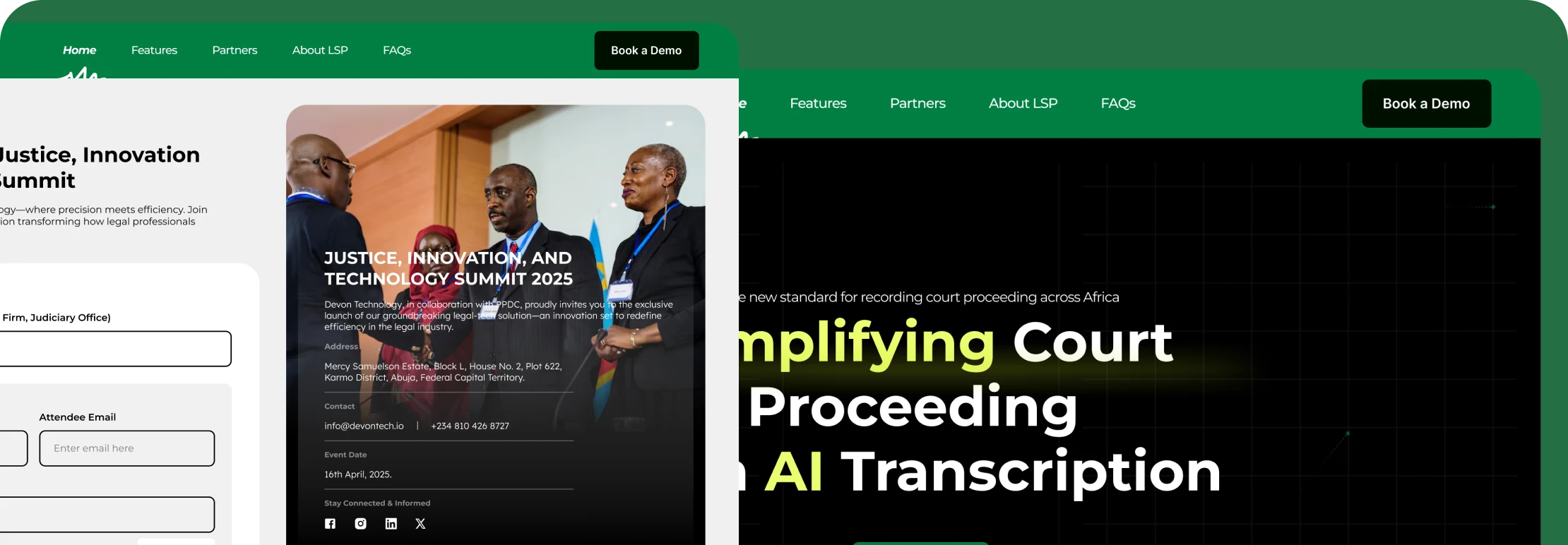
Marketing website
Communicating the value of AI-assisted judicial workflows to legal institutions and stakeholders, establishing credibility and relevance before any platform interaction.
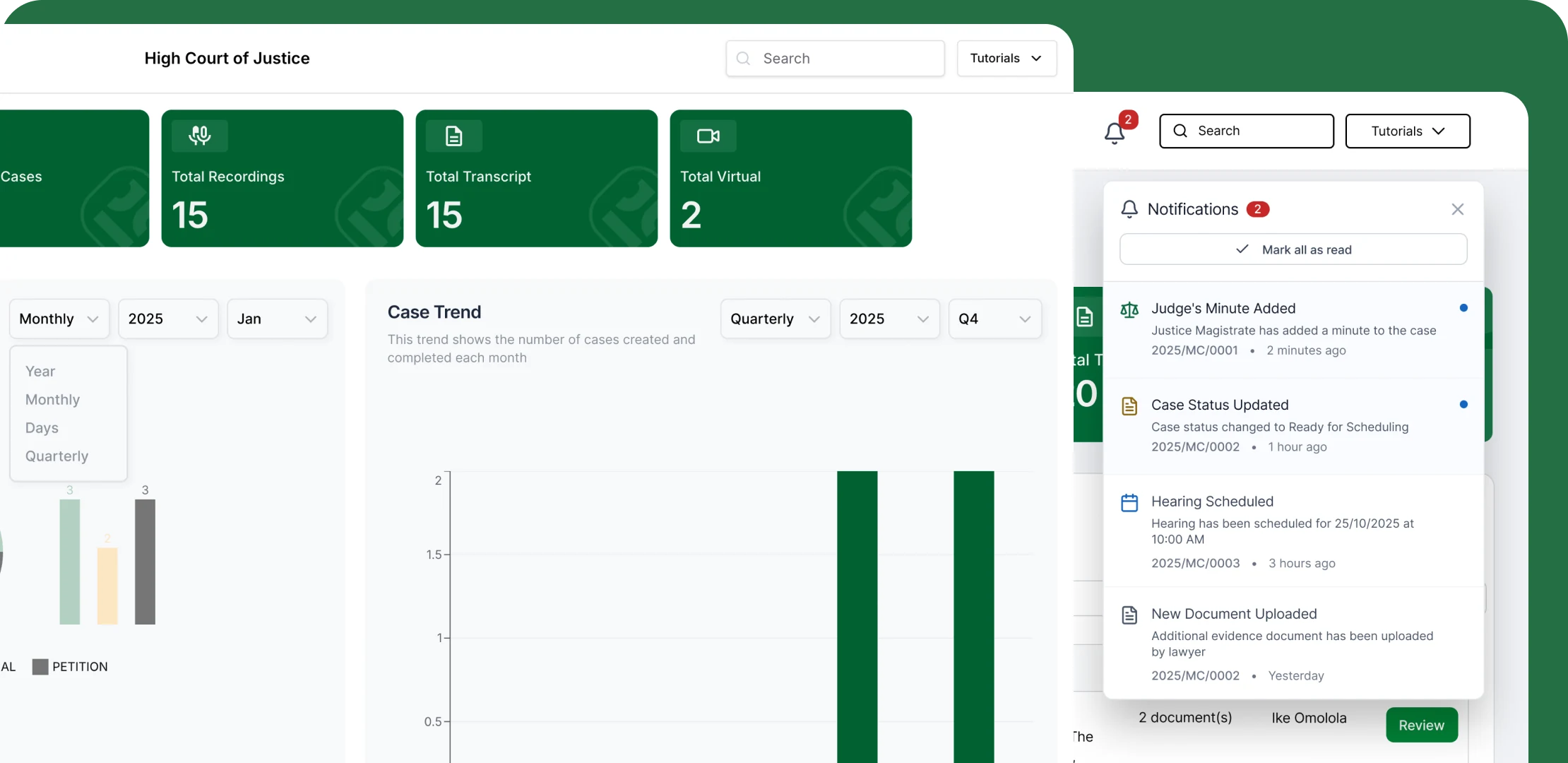
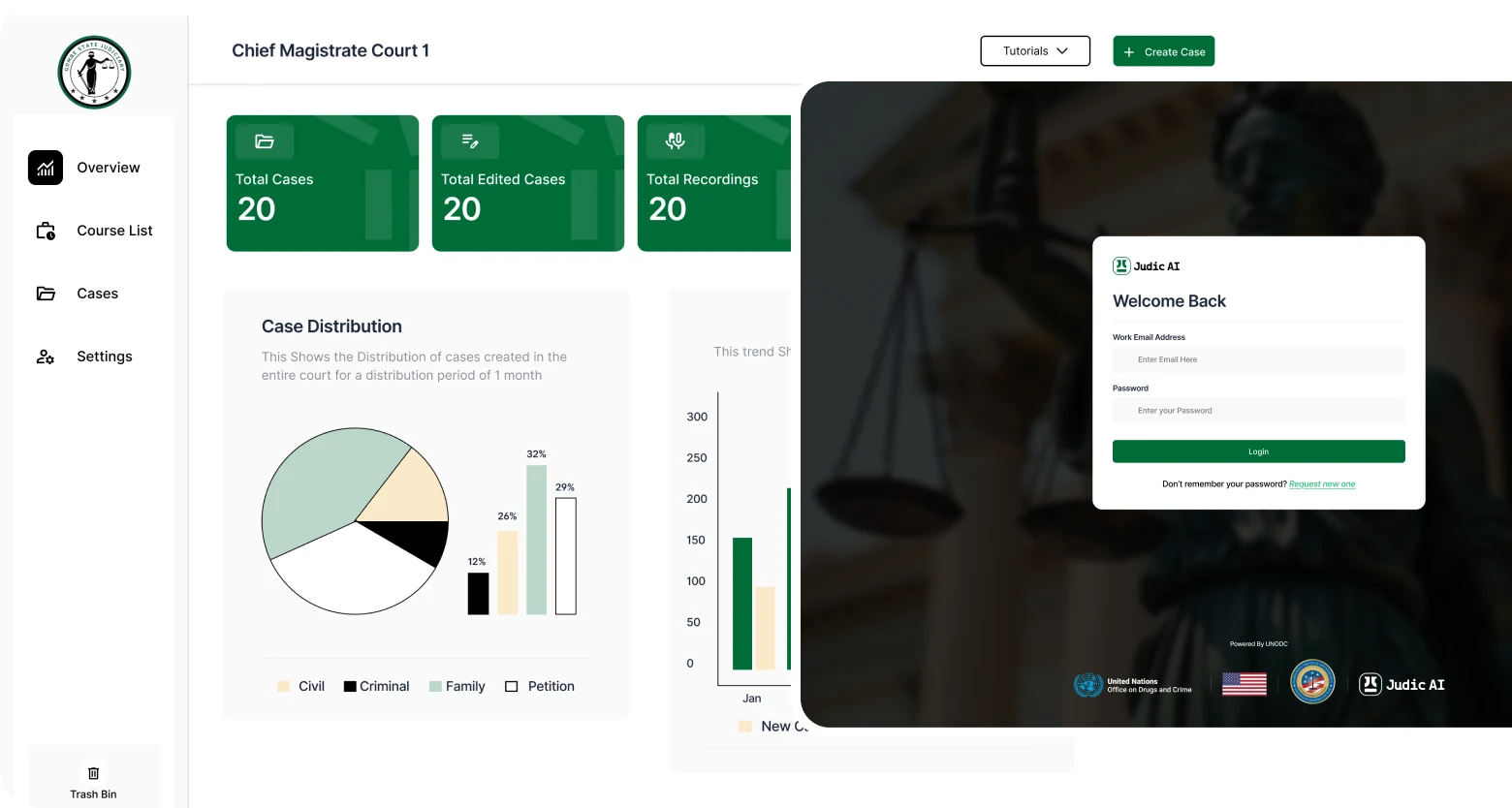
Judge dashboard & court proceeding recorder
Providing judges with visibility into proceedings, documentation, and relevant activities, alongside tools to accurately capture courtroom proceedings in real time.
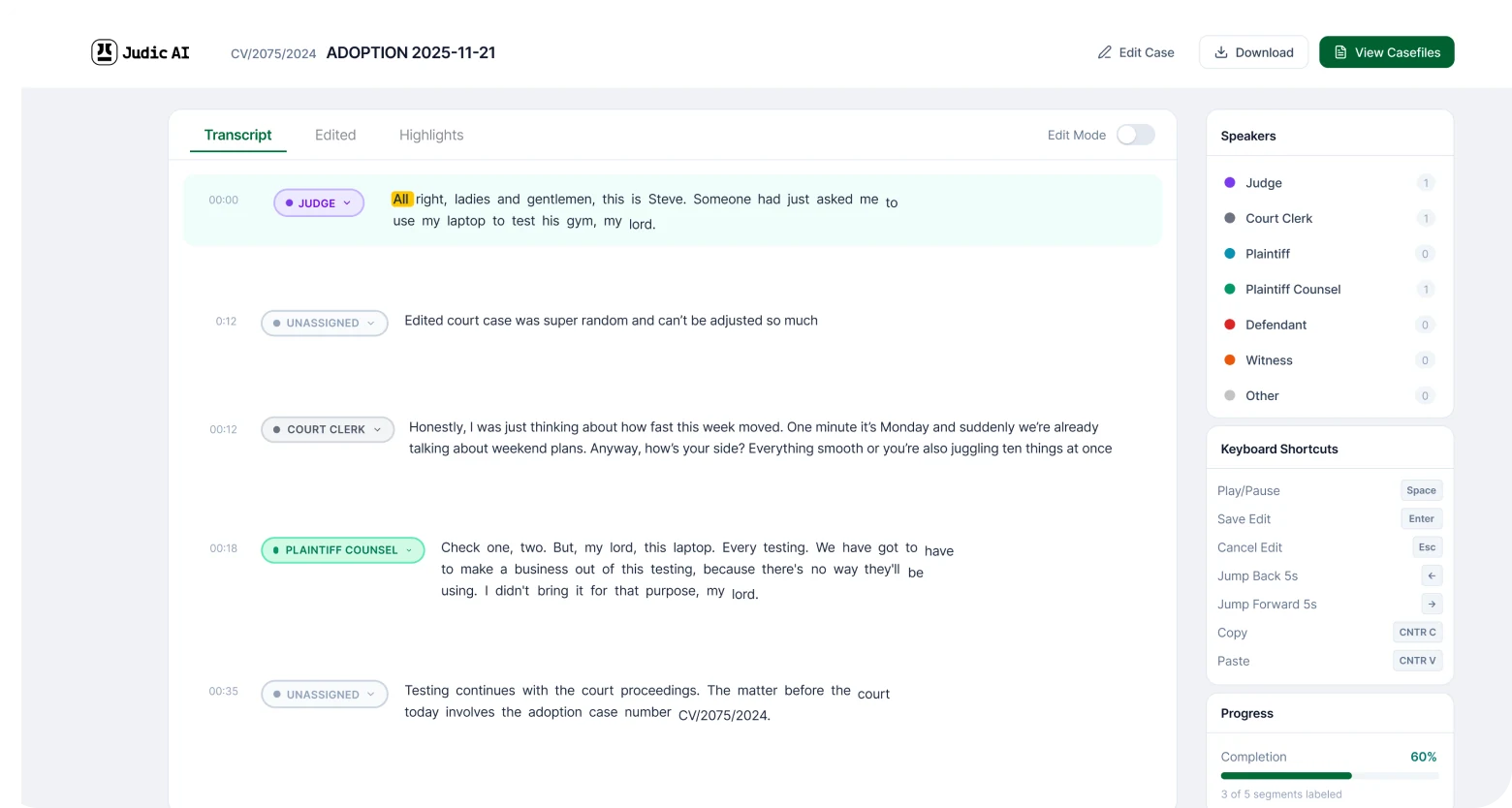
AI transcription experience
Transforming spoken courtroom interactions into structured documentation, reducing reliance on manual note-taking while maintaining the accuracy and integrity that legal records require. This was one of the most demanding design challenges in the platform.
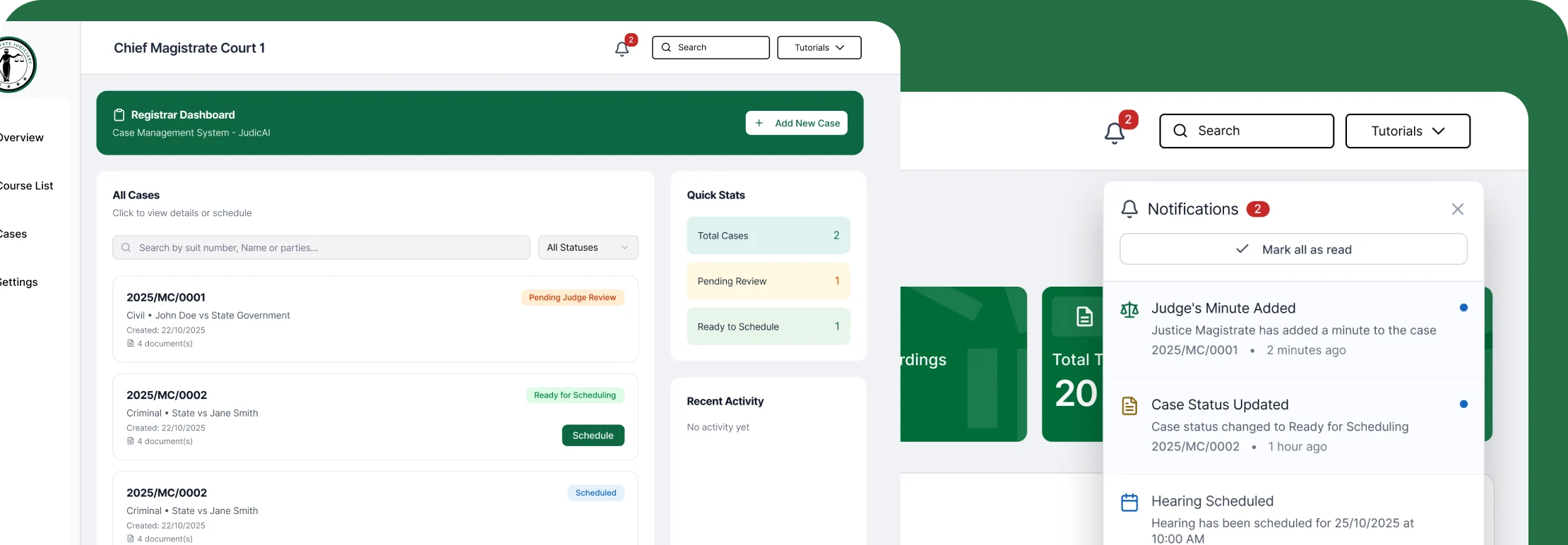
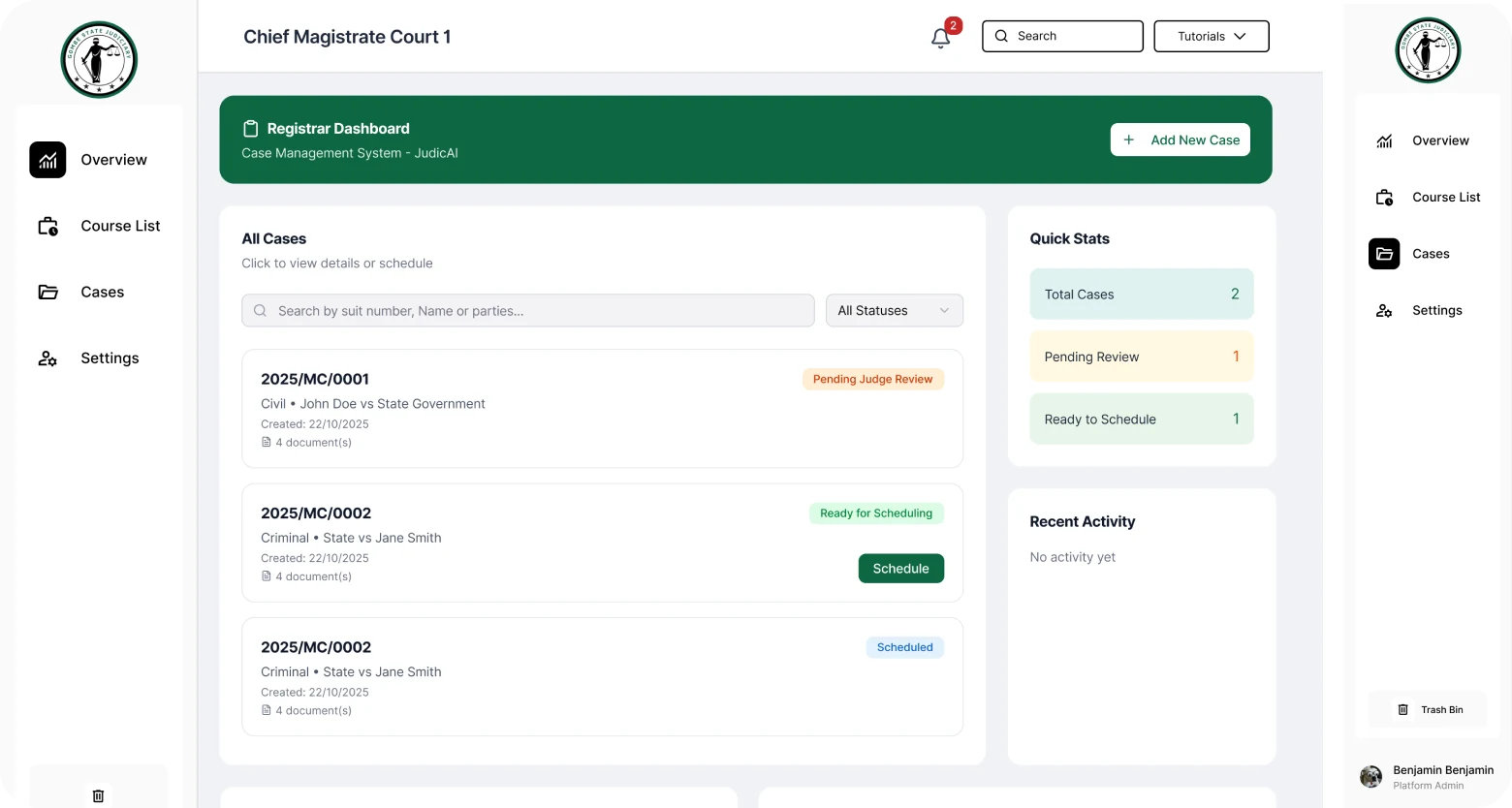
Case management & cause list
Helping legal professionals organise and track cases more effectively, with scheduling and visibility into upcoming hearings through a cause list management experience designed for court administrators.
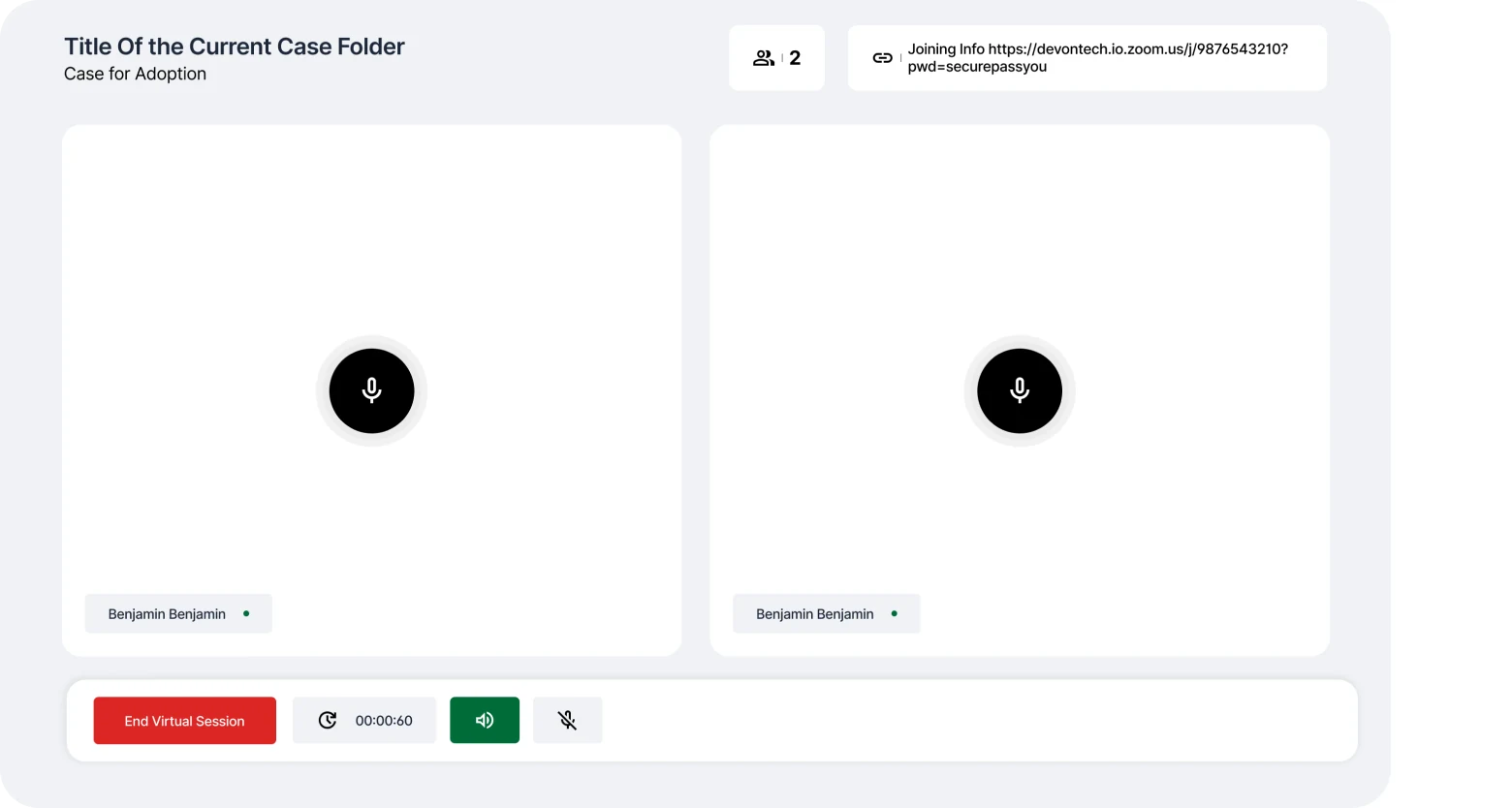
Virtual hearings, export, notifications & admin
Enabling remote participation in judicial processes, mechanisms for sharing and preserving legal records, timely stakeholder notifications, user management, and administrative experiences for operational visibility and oversight.
04 Where accuracy and trust had to coexist
Among all the components of JUDIC AI, the AI transcription experience represented one of the most consequential design challenges. Courtroom proceedings are high-stakes environments where accuracy is non-negotiable.
The transcription experience had to balance speed, clarity, trust, ease of review, and confidence in generated outputs. Court personnel needed to document proceedings more efficiently while maintaining full confidence in the integrity of the records produced.
This shaped decisions around how AI output was presented, distinguishing captured speech from AI-structured summaries, making review and correction flows straightforward, and ensuring that the system's status was always visible. Designing for low technical literacy meant familiar patterns, clear information hierarchy, and error prevention at every step.
05 How research shaped the design
Before any interface work began, I conducted structured interviews with three judicial officers and two court registrars to understand how they currently managed documentation, where errors were most likely, and what “efficient” looked like from their perspective, not ours.
Three findings directly changed the design direction:
AI confidence had to be visible, not implied
Judges didn't distrust AI. They distrusted AI that didn't show its reasoning. Early concepts showed AI transcription output as clean, finished text. After research, we added confidence indicators and inline correction prompts. Users reported feeling in control of the AI output, not dependent on it.
Role separation mattered more than feature richness
An early brief described one unified platform with all features accessible to all users. Research showed this was wrong. A registrar's priority is the cause list; a judge's is the case record; a stenographer's is live transcription control. We restructured the IA around roles, not features, before writing a single screen.
The scheduling flow shrank from nine steps to two screens
The original hearing scheduling flow took nine steps to complete. The redesign cut it to two screens covering the same job — the clearest single example of the reduction the whole platform aimed at.
06 Impact
JUDIC AI shipped and is in use by courts — the platform is live at judicai.io. It was designed to reduce time spent on courtroom documentation so judicial officers can give more attention to decision-making; documentation-time itself was not instrumented during my engagement, so the usage claim here is deliberately the only one made.
07 What this project reinforced
JUDIC AI reinforced an important lesson about designing AI experiences within high-stakes environments. Artificial intelligence should not compete with human expertise. It should amplify it.
The role of design is to bridge the gap between sophisticated technologies and the people who depend on them. Success required understanding legal processes deeply, respecting established practices, and introducing innovation in ways that improved confidence rather than created uncertainty.
This project strengthened my ability to design human-centred AI experiences that support critical work without compromising trust or usability.
The design surface that mattered most on JUDIC AI was how the system communicated its own limitations. In legal work, visible uncertainty built trust; invisible uncertainty would have destroyed it.
08 The work